How to Add an Affiliate Link to Pillar Without Losing the Customer
There's a quick way and a better way. The better way keeps every buyer's email.
A lot of the courses people used to sell with master resell rights have switched to affiliate links. If you still have an MRR product sitting in your store, it has to come out and an affiliate link goes in its place. Swapping it is easy. What happens after somebody clicks it is where people lose out.
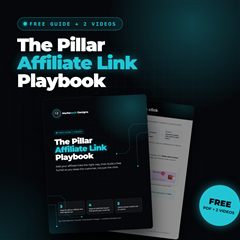
Want to watch me build it?
Get the Pillar Affiliate Link Playbook: the PDF with screenshots plus two videos where I set up the link and the whole funnel on screen.
Send me the free playbookWhy a plain affiliate button costs you
With an affiliate link there's no checkout page on your store, no price and no confirmation email. It's one button that sends people to somebody else's store. You did the posts, the lives and the DMs to get that person to your page, and then they buy from the other person and that person gets their email instead of you.
Your niche is probably going to change at some point. Mine has. The two things you keep no matter what you sell are your skills and your email list. So the goal here is simple: they still buy through your link, but you get their name and email first.
Part 1: Add the affiliate link
1. Get the right link
Your affiliate link comes from the course or program you promote. Most give you one after you sign up, and some take about 24 hours. Look at the end of the URL. There's a part that's tied to you, usually a string of letters and numbers. If that part is missing, you won't get credit for the sale. If the course comes in more than one language, they'll usually give you a separate link for each one.
2. Add a Link block
In Pillar, go to My Store, click Add Product and pick Link. Fill in the title, subtitle and image, then paste your affiliate link in the URL field. Publish it and it shows up on your store.
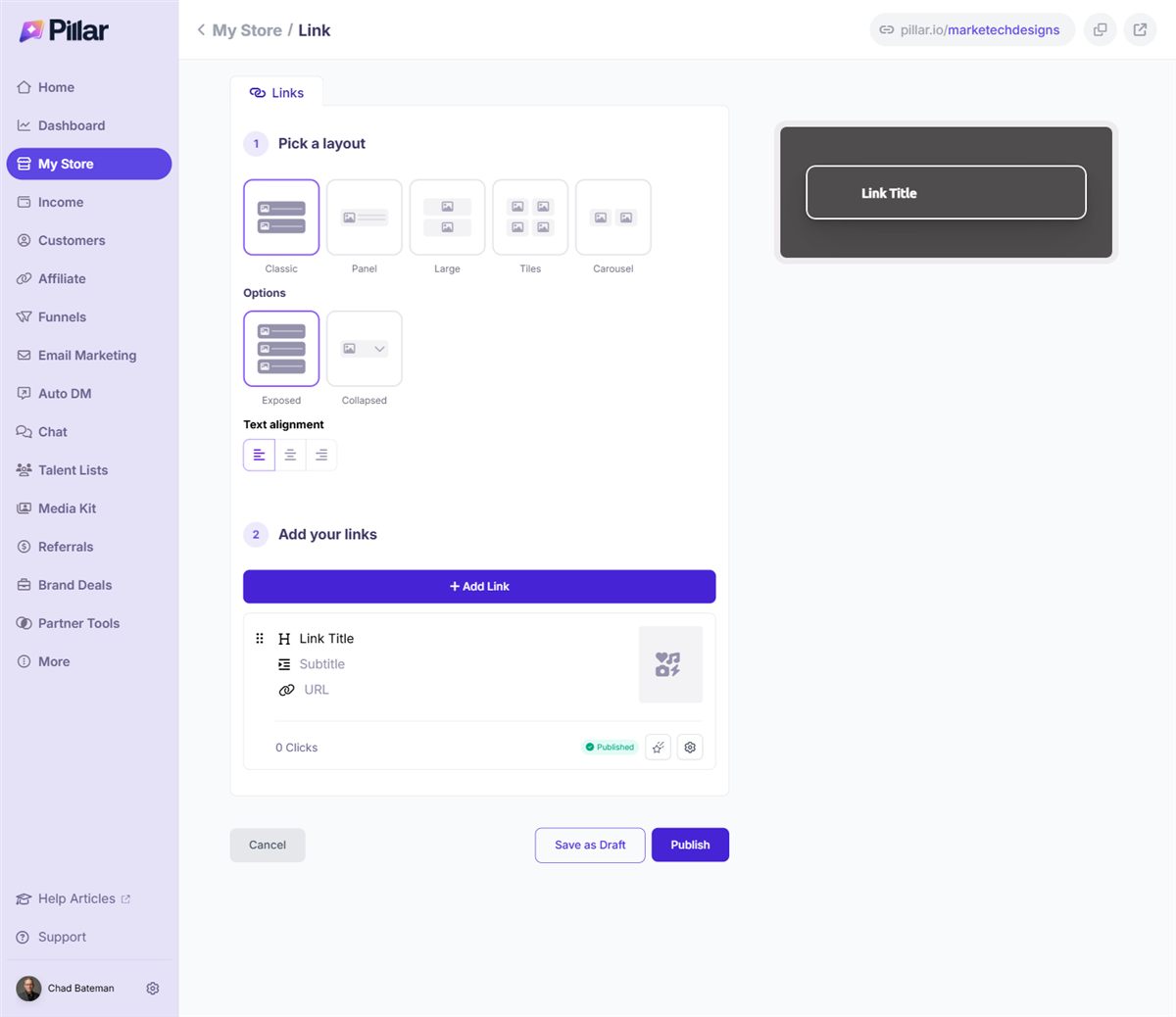
Selling the same course in English, Spanish and French? Add each language as its own link inside the same block. They all stay grouped together under one title, and you can change the layout so it doesn't look cluttered.
3. Make it move
This is one of my favorite things about Pillar. Open the link's animation settings and pick Pulse, Splash or Sway. When somebody lands on your store, that link moves and catches their eye. Animations only work on links, not digital downloads, which is one more reason to set affiliate products up as links.
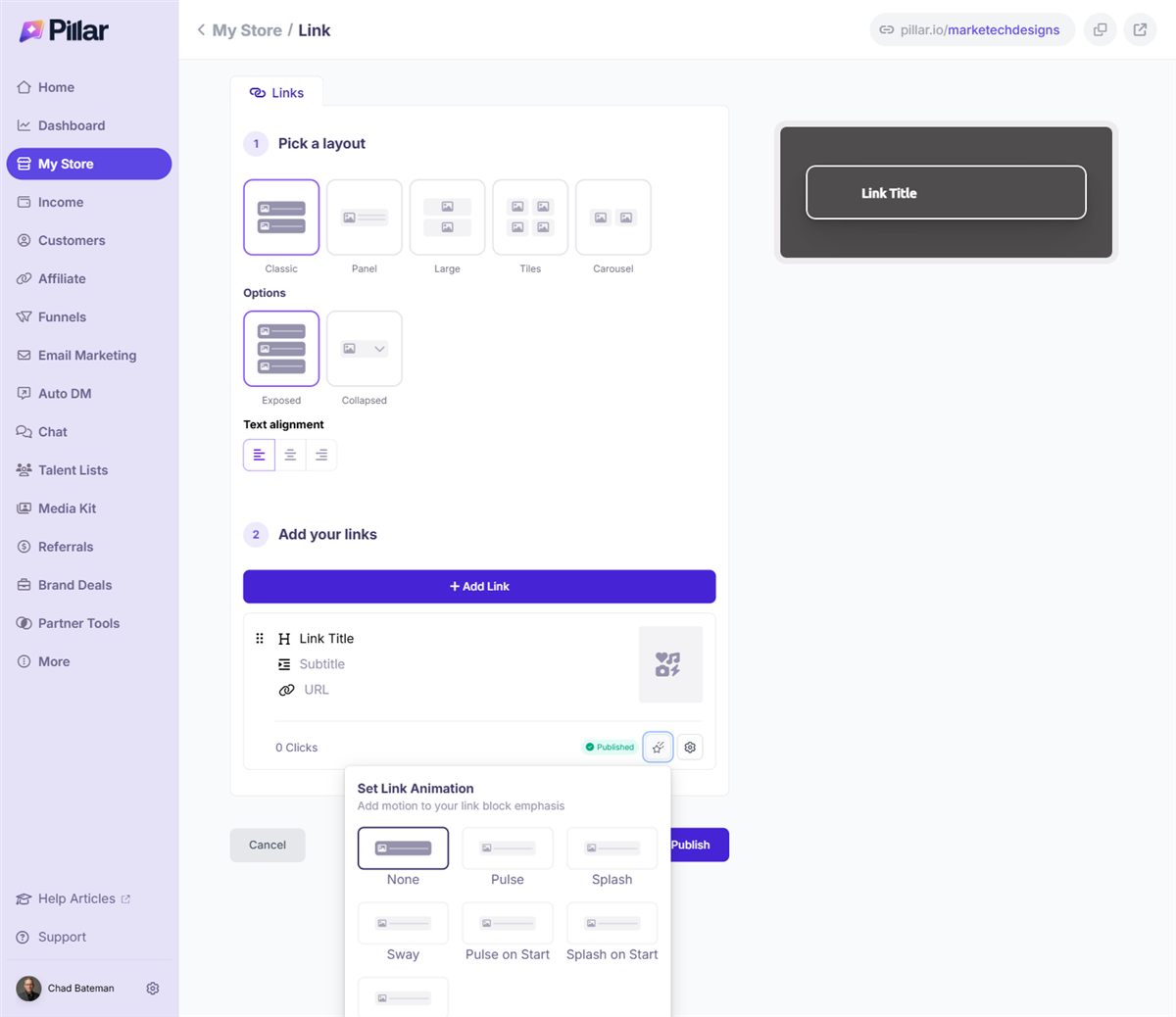
You could stop here and it works. But every click still walks straight out the door to somebody else's checkout.
Part 2: Put a free funnel in front of it
4. Start a Video Intro Funnel
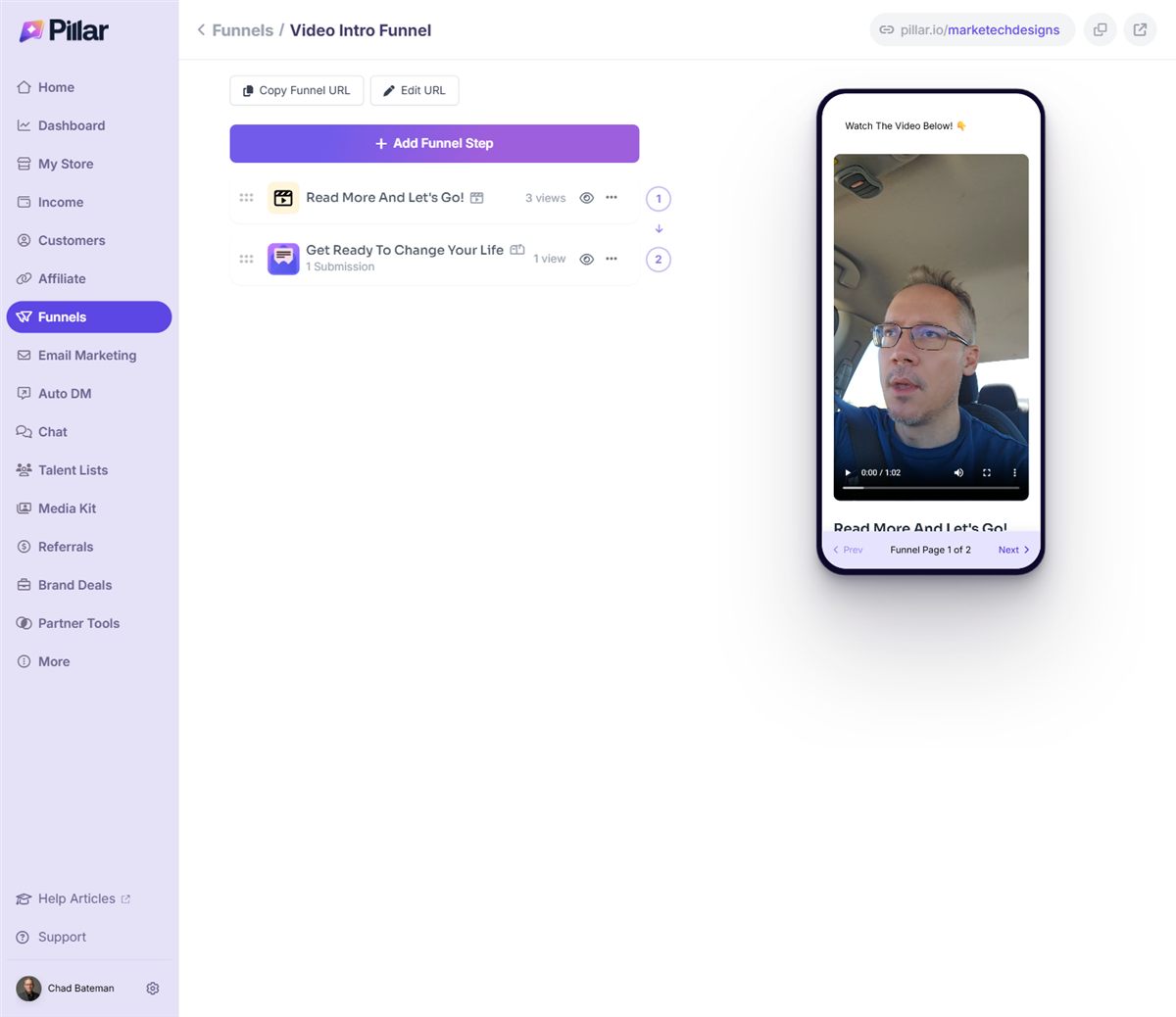
Go to Funnels. Pillar gives you three templates: Lead Capture, Embedded Form and Video Intro. For affiliate products I use Video Intro Funnel. It takes a little more work because you need a video, but the video is what builds trust.
5. Build the video page
Upload your video. You can add a poster image so it doesn't open on a frozen frame of your face. Then add a title, a short pitch for the product, and a button. Set the button to go to the next step in the funnel.
What should the video be? Pull up the course on your computer, hit record, and walk through it. "This is module one. Inside module one I learned this and this." Go through the whole thing. It doesn't have to be fancy. People want to see what's inside before they buy, and you're the one showing them.
You can change the header and button colors to match your branding while you're in there.
6. Build the lead capture page
Ask for their name and email. Something like "Want the full walkthrough? Drop your name and email and I'll send it to you." Then put your affiliate link in the freebie link field and turn on both switches:
- Email your link to the customer, so the link sits in their inbox for later.
- Open URL immediately, so they go straight to the checkout after they submit.
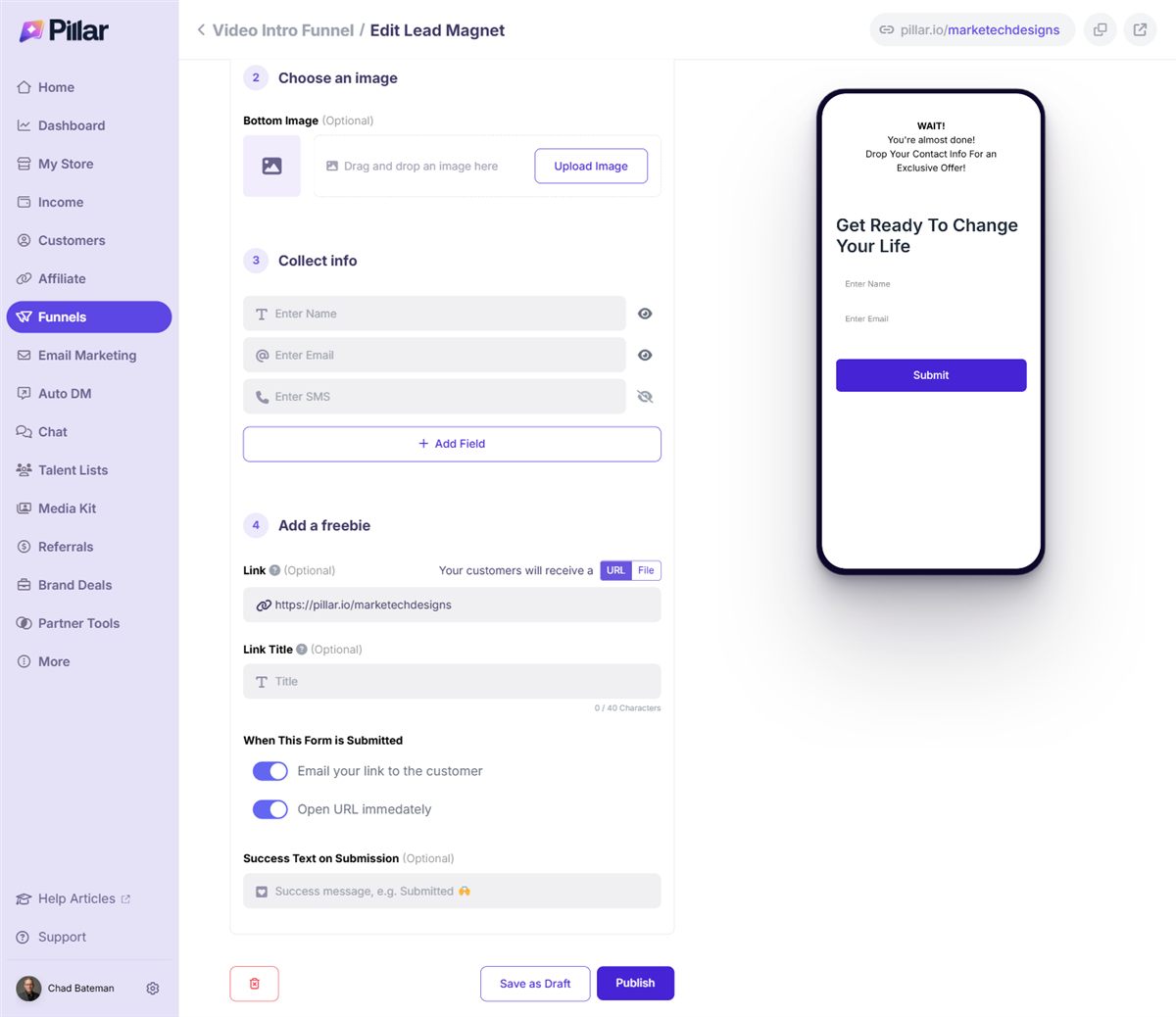
Write a real confirmation email too. Thank them, link the walkthrough, and put your affiliate link in it again in case they want to buy later.
7. Point your store at the funnel
Inside the funnel, click to copy the funnel URL. Go back to My Store, add a new Link, call it something like "Free sneak peek inside the course," and paste the funnel URL in. Publish.
Now when somebody clicks it, they watch your walkthrough, give you their name and email, land on the checkout through your affiliate link, and get an email from you with the link inside. They're on your list and they still went to the checkout. If you still want a straight "Buy now" button for people who are ready, keep your plain affiliate link on the store too.
Can you do this on Stan Store?
Sort of. In Stan, the affiliate link goes in through Add Product and URL, and you only get one link with no animations. For the funnel, Stan doesn't have a video page, so you'd make a $0 digital product that collects the email, then add a second step with a redirect to your affiliate link. It works. It's just harder to build trust without the video up front.
The mistakes I see most
- Pasting the store's main link instead of the affiliate link, so the sale isn't credited to you.
- Leaving the old MRR product up after the course switched to affiliate only.
- Turning on only one of the two switches. You want both.
- Building the funnel and forgetting to link it from the store.
Not on Pillar yet?
I worked out a deal with Pillar for people who sign up through me. Use my referral link with code MD25 and you get the Entrepreneur plan for $59 a month instead of $119. You get funnels, email marketing, and Klarna, Afterpay and Affirm at checkout. I'll also set up your Stripe for free, because that's the part most people get stuck on.
The Pillar Affiliate Link Playbook
Every step above with screenshots, plus the two videos where I build it start to finish.
Send me the free playbookWant help with this every week? Club Marketech has weekly live calls where we build these together. See what's in Club Marketech.
Written by Chad Bateman, founder of Marketech Designs.